

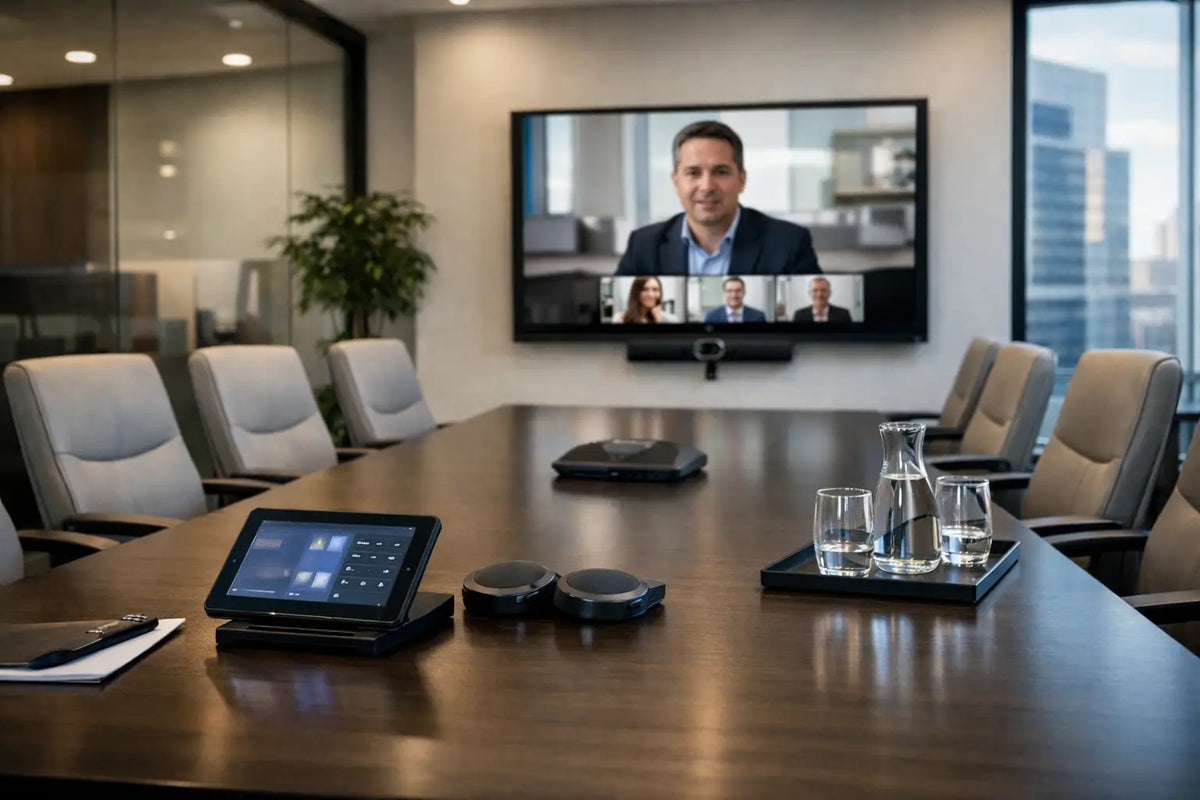
A board meeting should not begin with someone crawling beneath a table to find an HDMI cable. Yet this is still the daily reality in many otherwise impressive offices. A considered conference room AV checklist prevents small technical failures from distracting leadership, clients, and teams from the conversation that matters.
For premium workplaces, AV is more than a display on a wall. It is part of the room’s architecture, brand presence, and operating rhythm. The right design makes video calls feel natural, presentations look deliberate, and in-room discussions remain clear whether the space holds six people or sixty.
Start With How the Room Will Be Used
The first decision is not which screen or speaker to buy. It is understanding the room’s purpose. A private executive boardroom, an agile huddle room, a training suite, and a divisible presentation space have very different demands.
Consider who will use the room, how often remote participants join, and whether meetings are primarily presentation-led or conversation-led. Also account for room dimensions, seating layout, ceiling height, window placement, furniture finishes, and ambient light. These factors determine camera angles, microphone coverage, display size, loudspeaker placement, and acoustic treatment.
A room used for external client presentations may need a large, high-brightness display, refined cable concealment, and one-touch meeting control. A room intended for strategic hybrid collaboration may place greater value on intelligent camera framing, voice tracking, and consistent microphone pickup. There is no universal equipment package that serves every room equally well.
Conference Room AV Checklist: Visual Systems
The display is often the visual anchor of the space. It must be large enough for every participant to read detailed content without overwhelming the room’s proportions. For compact rooms, a premium commercial display may be the most elegant choice. Larger boardrooms or training rooms may benefit from dual displays, direct-view LED, or a projection system designed around controlled lighting.
Review these visual requirements before specification:
- Display size, resolution, brightness, and viewing distance
- Screen position relative to windows, lighting fixtures, and seated sightlines
- Single-screen, dual-screen, or presentation-wall requirements
- Wireless presentation, wired input, and guest-device connectivity
- Equipment mounting, ventilation, cable pathways, and service access
For rooms that host video meetings, consider what remote participants see as carefully as what in-room guests see. The camera should capture faces clearly, avoid harsh backlighting, and frame the room in a way that feels composed rather than accidental. Auto-framing cameras are useful for flexible spaces, while multi-camera systems offer greater control in formal boardrooms and training environments.
Audio That Carries Authority
Poor audio is the quickest way to make an advanced meeting room feel ordinary. Remote attendees can tolerate a camera that is slightly imperfect. They will not tolerate a meeting where speech is muffled, distant, interrupted by echo, or buried beneath HVAC noise.
Microphone selection depends on room layout and ceiling construction. Table microphones can work well in a fixed boardroom, but they add visual clutter and may limit furniture flexibility. Ceiling microphone arrays preserve a clean table surface and can provide adaptable pickup zones, though their performance depends on correct placement, calibration, and room acoustics. Wireless microphones may be necessary for training, town halls, or presentation spaces where speakers move freely.
Loudspeakers should deliver even, comfortable speech reinforcement throughout the room. In smaller rooms, integrated soundbars may be appropriate. In larger or higher-end rooms, discreet ceiling speakers or architectural loudspeakers usually create a more balanced result. The goal is not excessive volume. It is intelligibility at every seat, without drawing attention to the system itself.
Do Not Treat Acoustics as an Afterthought
Glass walls, stone floors, exposed ceilings, and expansive hard surfaces are visually striking, but they create reflections that reduce speech clarity. Acoustic treatment can be integrated into ceilings, wall finishes, decorative panels, furniture, and soft furnishings without compromising a refined interior concept.
Measure the room’s reverberation characteristics early, before furniture and finishes are finalized. Acoustic control improves in-room comfort, microphone performance, privacy, and perceived quality. It is often the difference between equipment that merely works and a room that feels effortless to use.
Video Conferencing and Platform Readiness
A premium conference room should support the platforms your organization actually uses, whether that means Microsoft Teams, Zoom, Google Meet, Webex, or a combination of bring-your-own-device workflows. Compatibility should be deliberate rather than assumed.
Decide whether the room requires a dedicated conferencing appliance, a connected room computer, or a flexible USB-based solution. Dedicated systems offer consistency and a polished user experience for recurring meetings. BYOD solutions offer flexibility for guest presenters and organizations using multiple platforms. Many executive environments benefit from a hybrid approach that provides a permanent room interface while retaining simple laptop connection when required.
Test every intended workflow: starting a scheduled call, sharing content locally, joining an external meeting, switching between room and laptop cameras, and recovering after a network interruption. A sophisticated system is only valuable if an executive, assistant, or visiting client can use it confidently without technical support.
Control, Connectivity, and Power
Control is where a collection of AV products becomes a unified environment. A well-programmed touch panel or control interface can prepare the room for a meeting with one action: activate the display, select the correct source, adjust lighting, lower shades, and begin the video call.
The best interface reflects how people naturally use the room. It should offer clear choices, limited layers, and practical labels such as “Video Call,” “Present,” or “Room Off.” Avoid overwhelming users with technical source names or settings they should never need to manage.
Connectivity should support both planned and unexpected use. Provide reliable wired connections where performance matters, particularly for high-resolution presentations and critical video calls. Wireless sharing adds convenience, but it should not be the only option. Include accessible charging and power at the table, with cable management designed into the furniture rather than added as an afterthought.
Network planning is equally essential. Conferencing systems, wireless presentation devices, control processors, and signage may require separate network policies, secure credentials, and reliable bandwidth. Coordinate AV and IT teams early so security requirements do not compromise usability at the handover stage.
Reliability, Service, and Room Commissioning
An AV installation is not complete when equipment is mounted. It is complete when every component has been tested in the finished room, under normal operating conditions. That includes sound tuning, camera framing, microphone zones, display calibration, control programming, network performance, and user training.
Your final conference room AV checklist should include documentation for cable routes, device settings, network details, warranties, and support procedures. Confirm that equipment can be serviced without dismantling finished joinery or disrupting the room. Premium design should look invisible, but it should never become inaccessible.
Before handover, run a real meeting with internal stakeholders. Invite participants to join remotely, share from different devices, adjust the room settings, and identify anything that feels unclear. Small refinements at this stage protect the experience long after the installation team leaves.
At I-Trust Systems, we approach conference room AV as an integrated environment rather than a list of hardware. Display technology, sound, acoustics, automation, lighting, and interior detailing should operate as one considered system, shaped around the way your organization meets.
The most successful conference room is not remembered for its technology. It is remembered because conversations moved easily, presentations carried impact, and every person in the room felt prepared to contribute.
Share:
Is Home Cinema Worth It for a Luxury Home?
Outdoor Speakers That Elevate Every Exterior