

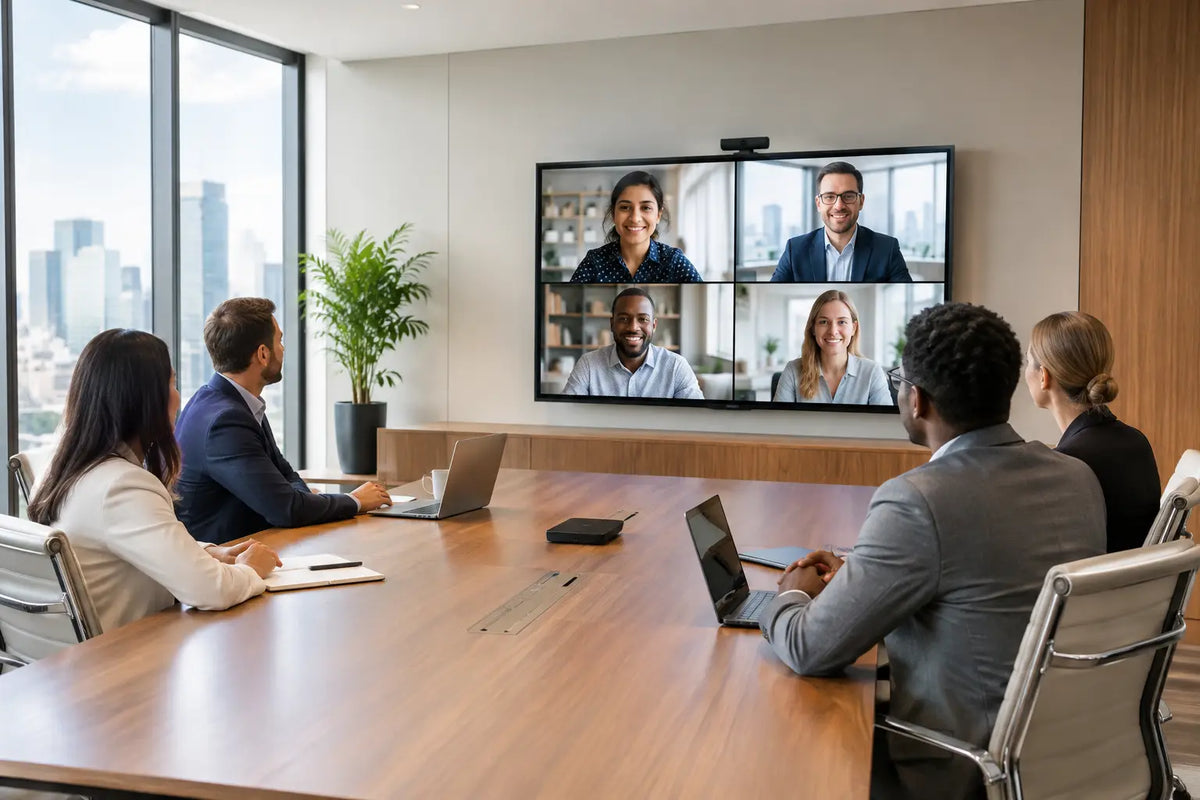
A boardroom can have exceptional furniture, refined finishes, and a commanding view, yet still feel unprepared the moment a remote participant asks, “Can you hear me?” The best office video conferencing is not a webcam placed beneath a display. It is a professionally coordinated environment where every participant is seen clearly, heard naturally, and able to join or lead a meeting without technical friction.
For executive offices, developer show suites, training centers, and client-facing meeting rooms, the objective is more than a successful call. It is to create a room that represents the standard of the business: composed, intelligent, dependable, and visually considered. That requires choices about room scale, acoustics, lighting, camera position, display size, control, and infrastructure to work together from the beginning.
Best Office Video Conferencing Starts With the Room
The right system depends less on a list of individual products than on how the room will actually be used. A compact huddle room has different needs from a 16-seat boardroom, while a divisible training space requires a different level of flexibility again. Treating all three as simple video-call spaces often leads to cameras with the wrong viewing angle, voices that disappear at the far end of the table, and displays that strain attention rather than support it.
Begin by defining the meeting experience. How many people will normally sit in the room? Will presentations, design drawings, dashboards, or video content be shared regularly? Are meetings primarily internal, or will the room host investors, clients, and international partners? These answers determine the technology and the visual standard required.
A premium office should also account for the way people enter a meeting. One-touch control, automatic camera framing where appropriate, clear source selection, and a familiar meeting interface remove unnecessary hesitation. The technology should feel present only when it is needed.
Camera placement is more important than camera specifications alone
High-resolution cameras are valuable, but their position defines whether remote attendees feel included. A camera mounted too high creates an unflattering angle. One placed too far from the participants makes facial cues difficult to read. A wide-angle camera can cover a small meeting room effectively, but it may distort the people sitting closest to it.
For a formal boardroom, a dedicated PTZ camera can offer a more polished experience. It can frame the group cleanly, recall preset positions, and focus on a presenter or speaker when the meeting format calls for it. In smaller spaces, intelligent framing cameras may be sufficient, provided they do not crop participants awkwardly or shift attention too frequently.
Camera location should be coordinated with the primary display, table orientation, ceiling design, and lighting plan. The most sophisticated camera will still perform poorly if it is forced to look directly into a window or positioned where participants must turn away from the screen to be seen.
Displays should serve the conversation, not dominate the room
A display needs to be large enough for remote participants and shared content to remain legible from every seat. In many executive rooms, a single commercial-grade display delivers a clean, restrained presentation. Larger boardrooms and collaboration spaces may benefit from dual displays: one for people on the call and another for presentations or shared documents.
The trade-off is architectural. Larger screens can quickly become visually heavy when they are installed without consideration for joinery, wall proportions, and cable concealment. Recessed mounting, custom millwork, and properly positioned sound components help preserve a refined interior while keeping the system accessible for service.
Projection can be appropriate in large training rooms or multipurpose spaces, particularly where a very large image is required. However, ambient light control, screen selection, and room use must be considered carefully. A display often provides better day-to-day clarity in brightly lit executive environments.
Sound Is the Standard Guests Remember
Poor audio is more damaging than imperfect video. People will tolerate a slightly soft image, but they will not tolerate repeated requests to speak louder, echoes during a discussion, or a room where only the nearest person can be understood.
A considered conferencing system uses microphones that match the room layout. Ceiling microphone arrays preserve a clean tabletop and can cover larger spaces with discreet beamforming technology. Table microphones can be effective in smaller rooms or spaces where the furniture layout is fixed. Wireless options offer flexibility, although they require proper charging, monitoring, and storage procedures.
Speaker placement matters just as much. Voices should appear to come naturally from the display or from the room, without harshness or excessive volume. In a premium space, integrated loudspeakers can be concealed within joinery or ceiling details, but concealment must never compromise clarity.
Acoustics cannot be solved after installation
Glass partitions, stone floors, high ceilings, and minimalist surfaces may look exceptional, but they can create reflections that make speech tiring and unclear. Acoustic treatment is not an aesthetic compromise. When designed properly, it becomes part of the architecture through fabric panels, timber features, ceiling systems, and finishes that complement the room.
The goal is not to make an office silent. It is to control reverberation so speech remains clear at normal volume. This benefits people in the room as much as remote participants, especially during longer negotiations, presentations, and hybrid workshops.
Noise control should also extend beyond the meeting room. HVAC noise, corridor activity, and adjacent offices can enter the microphones and undermine confidentiality. Where discretion is essential, sound isolation and door seals deserve attention alongside the AV specification.
Choose a Platform Without Building Around One Platform
Most businesses need rooms that support more than one meeting platform. Teams may use Microsoft Teams, Zoom, Google Meet, Webex, or guest devices depending on the client and project. A room designed around a single proprietary workflow can become restrictive as business requirements change.
A well-engineered approach provides a primary room platform while retaining practical flexibility. This may include wired laptop connectivity, wireless presentation, a dedicated room computer, and a simple method for hosting guest calls. The exact mix depends on IT policy, security requirements, and how frequently external visitors use the room.
Reliability should take priority over novelty. Features such as speaker tracking and AI framing can improve the experience, but only when they operate consistently in the room’s real conditions. A stable camera preset and excellent audio will often feel more professional than a complex automated system that behaves unpredictably.
Control Should Feel Effortless
Meeting rooms lose credibility when users need multiple remotes, an IT call, or several minutes of trial and error before a meeting begins. A centralized touch panel can bring displays, cameras, audio, lighting, shades, and source selection into one clear interface.
For premium offices, control also creates a stronger arrival experience. A “Meeting” scene can lower shades to manage glare, set the lighting for faces on camera, power the display, and prepare the selected conferencing platform. At the end of the session, an “End Meeting” command can return the room to its normal setting and power down equipment responsibly.
This level of integration is particularly valuable in boardrooms and multipurpose spaces, where lighting, HVAC, presentation systems, and AV equipment need to operate as one environment rather than separate devices. It also reduces the burden on administrative teams and IT support.
Plan Infrastructure Before Finishes Are Finalized
The best technology plan can be compromised by late coordination. Equipment locations, network capacity, electrical provision, cable pathways, access panels, and ventilation for AV racks should be resolved before ceilings close and custom joinery is completed.
Network design is a major consideration. Video conferencing traffic requires dependable wired connectivity, thoughtful wireless coverage, and appropriate network segmentation. The system should be designed with the client’s IT team, particularly where security, remote management, and enterprise standards are involved.
Serviceability also matters. Equipment should be discreet but accessible. A beautifully concealed rack that cannot be reached for maintenance will create avoidable downtime later. Premium execution means protecting both the room’s appearance and its long-term performance.
A Better Standard for Hybrid Meetings
The most effective conferencing rooms make distance feel less relevant. A remote colleague should be able to read expressions, follow a presentation, and speak without competing against room echo or background noise. Those seated at the table should feel equally free to contribute, without leaning toward a microphone or managing a confusing interface.
This is why the best office video conferencing solution is always specific to the space. A compact executive office may need an elegant all-in-one collaboration bar and a concealed display. A boardroom may require distributed microphones, multiple cameras, dual displays, acoustic treatment, automated shades, and custom control. A training center may need flexible routing for hybrid events and audience participation.
At I-Trust Systems, these systems are approached as part of the wider environment, not as an isolated equipment purchase. AV engineering, acoustic performance, interior integration, automation, and installation must support the same result: a meeting room that performs with quiet confidence.
Before selecting hardware, stand in the room and imagine its most consequential meeting. Consider where every person will sit, what they need to see, what they need to hear, and how the space should feel when the conversation begins. That is where an exceptional conferencing experience starts.
Share:
Acoustic Wall Treatment for Refined Interiors
Best Office Background Music Systems for Work