

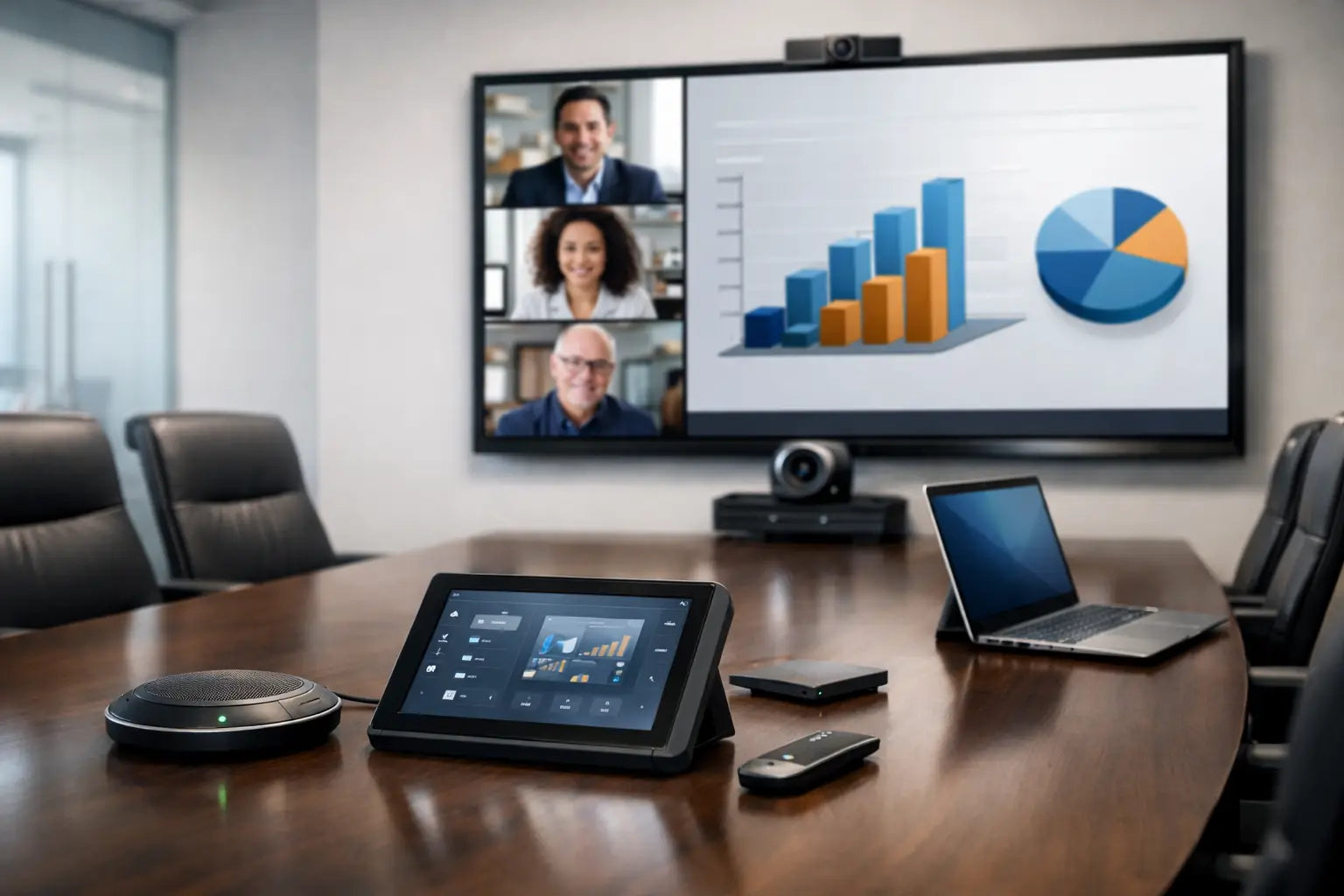
تفقد اجتماعات مجالس الإدارة الزخم في اللحظة التي لا يتم فيها عرض العرض التقديمي، أو لا يمكن سماع المشاركين عن بعد، أو تختفي خمس دقائق بينما يبحث شخص ما عن الكابل الصحيح. في المكتب المتميز، يجب أن تكون حلول الصوت والصورة في غرف الاجتماعات مدروسة من الخطوة الأولى لدخول الغرفة: سرية بصريًا، فورية التشغيل، ومصممة لجعل كل محادثة أكثر وضوحًا.
بالنسبة للمديرين التنفيذيين والمطورين وفرق التصميم، الهدف ليس ملء الغرفة بالمعدات. بل هو خلق بيئة تدعم فيها التكنولوجيا اتخاذ القرار دون التنافس مع الهندسة المعمارية. وهذا يتطلب أكثر من شاشة وكاميرا. يتطلب تصميمًا منسقًا للصورة والصوت والتحكم والشبكات والصوتيات والطريقة التي يستخدم بها الأشخاص المساحة بالفعل.
لماذا تحتاج غرف الاجتماعات إلى منهج صوتي ومرئي هندسي
يتم تجميع العديد من مساحات الاجتماعات قطعة بقطعة. يتم اختيار الشاشة في وقت متأخر من التجهيز، وتضاف الكاميرا بعد أن تصبح الاجتماعات المختلطة محبطة، ولا يتم تركيب مكبرات الصوت إلا عندما تبدأ الأصوات في أن تبدو بعيدة. قد تعمل النتيجة، ولكن نادرًا ما تعمل بثبات أو تكمل تصميمًا داخليًا راقيًا.
يعامل نظام الصوت والفيديو المصمم باحتراف الغرفة كبيئة متصلة واحدة. يتم تحديد حجم الشاشة لمسافة المشاهدة ونوع المحتوى. تقوم الكاميرات بتأطير المشاركين بشكل طبيعي. تلتقط الميكروفونات الكلام دون إجبار الحضور على الانحناء للأمام أو رفع أصواتهم. يتم أخذ الإضاءة ومعالجات النوافذ في الاعتبار لأن الوهج يمكن أن يجعل حتى الشاشات الفاخرة غير فعالة. تجمع واجهة التحكم هذه العناصر معًا بطريقة تبدو سهلة لكل مستخدم.
هذا النهج المتكامل هو الأكثر أهمية عندما تمثل الغرفة العمل التجاري. غرفة مجلس الإدارة، جناح العرض التقديمي للعملاء، غرفة المؤتمرات التنفيذية، أو مركز التدريب هي امتداد للعلامة التجارية. التواصل الواضح والتكنولوجيا الموثوقة تنقل الاستعداد والثقة والاهتمام بالتفاصيل.
العناصر الأساسية لحلول الصوت والفيديو في غرف المؤتمرات
يعتمد النظام الصحيح على أبعاد الغرفة، وشغلها، ومنصات الاجتماعات، والتشطيبات الداخلية، وما إذا كانت المساحة تُستخدم بشكل أساسي للتعاون، أو العروض التقديمية، أو التدريب، أو مؤتمرات الفيديو الرسمية. ومع ذلك، يجب معالجة نفس التخصصات في كل تركيب احترافي.
شاشات عرض تتناسب مع الغرفة والرسالة
غالبًا ما تكون شاشة العرض التجارية الكبيرة هي الخيار الصحيح لغرف الاجتماعات القياسية، حيث توفر محتوى واضحًا وسطوعًا عاليًا وتشغيلًا يوميًا موثوقًا. بالنسبة لغرف اجتماعات المديرين التنفيذيين، يمكن لشاشات LED ذات العرض المباشر كبيرة الحجم أن تخلق تصميمًا معماريًا أكثر، مع حجم استثنائي وتشطيب نظيف وعصري. يظل العرض بالبروجكتور ذا قيمة في غرف التدريب الأكبر ومساحات العرض التقديمي، خاصة عندما تكون هناك حاجة إلى صورة كبيرة جدًا، ولكنه يتطلب إدارة دقيقة للضوء المحيط ووضع الشاشة.
الحجم ليس مجرد مسألة اختيار أكبر شاشة مناسبة. يجب أن يتمكن الحضور من قراءة جداول البيانات التفصيلية ورسومات التصميم ونص العروض التقديمية من مقاعدهم المعتادة. الشاشة التي تكون صغيرة جدًا تضعف الغرض من الغرفة؛ تلك التي تغمر الجدار يمكن أن تؤثر على التوازن البصري. يجب أن يتجنب التوضع أيضًا انعكاسات النوافذ والإضاءة الزخرفية والتشطيبات اللامعة.
كاميرات تخلق حضورًا طبيعيًا عن بعد
أصبح مؤتمرات الفيديو الآن جزءًا من العمليات التجارية العادية، وليس ميزة عرضية. يجب أن تُظهر الكاميرا عالية الجودة المشاركين بوضوح، وتحافظ على درجات لون البشرة الطبيعية، وتوفر تأطيرًا مفيدًا للطاولة والغرفة. في الغرف الأصغر، قد يوفر شريط الفيديو الذكي المتكامل نتائج ممتازة مع بصمة بصرية صغيرة. قد تتطلب الغرف الأكبر كاميرا PTZ مخصصة، أو زوايا كاميرا متعددة، أو تتبع المتحدث لإبقاء المشارك النشط في المشهد.
التأطير التلقائي ذو قيمة، لكنه ليس بديلاً عن التخطيط. يمكن للكاميرا المركبة عالية جدًا، أو بعيدة جدًا عن أحد الجوانب، أو مباشرة تحت إضاءة سفلية قاسية أن تخلق صورة غير جذابة ومشتتة للانتباه. تعمل خطوط الرؤية الصحيحة والإضاءة وارتفاع الكاميرا على إحداث فرق كبير في كيفية تجربة الحضور عن بعد للاجتماع.
تصميم صوتي للكلام، وليس فقط الصوت
وضوح الكلام هو المعيار المهم. يجب أن يسمع الناس كل مساهمة بوضوح، سواء كانوا جالسين في أقصى طرف من غرفة الاجتماعات أو ينضمون من مدينة أخرى. توفر مصفوفات الميكروفونات السقفية حلاً نظيفًا وسريًا للعديد من الغرف، بينما يمكن أن تكون ميكروفونات الطاولة مناسبة حيثما تكون هناك حاجة لأنماط التقاط دقيقة أو تخطيطات مرنة. قد تكون هناك حاجة إلى ميكروفونات يدوية لاسلكية أو ميكروفونات طية صدر السترة لمساحات التدريب والعروض التقديمية.
يجب أن توزع مكبرات الصوت الكلام بالتساوي دون لفت الانتباه إليها. تعمل مكبرات الصوت السقفية جيدًا في العديد من التصميمات الداخلية الحديثة، بينما قد تكون الأنظمة المثبتة على الحائط أو الموجهة مناسبة للمساحات ذات الظروف الصوتية الصعبة. يعتمد الخيار الأفضل على ارتفاع السقف، وهندسة الغرفة، والمواد الموجودة داخل المساحة.
لا يمكن لميكروفون ممتاز تصحيح غرفة شديدة الصدى. قد تبدو الفواصل الزجاجية، والأرضيات الحجرية، والأسقف المكشوفة، والأسطح الخشبية الصلبة استثنائية، ومع ذلك يمكنها أن تعكس الكلام وتسبب إرهاق المستمع. يمكن أن تعمل الألواح الصوتية، والمناطق السقفية المعالجة، والسجاد، والمقاعد المنجدة، وتشطيبات الجدران المختارة بعناية على تحسين الوضوح مع الحفاظ على الجمالية المقصودة.
تحكم لا يتطلب دعمًا فنيًا
يجب أن يبدأ الاجتماع بإجراء واحد، وليس بسلسلة من أجهزة التحكم عن بعد وكلمات المرور والمحولات وتغييرات الكابلات. يمكن للوحة لمس مبرمجة بشكل صحيح أو واجهة تحكم إعداد الغرفة لمكالمة فيديو، أو عرض تقديمي محلي، أو جلسة تدريب باختيار واحد. يمكنها تنشيط الشاشة، وتحديد المصدر، وتعيين وضع الكاميرا، وضبط الصوت، والتحكم في الإضاءة أو الستائر عند الاقتضاء.
يجب أن يكون تصميم التحكم بسيطًا بشكل متعمد. قد يحتاج المسؤول إلى الوصول إلى الوظائف المتقدمة، ولكن المستخدم اليومي يحتاج إلى خيارات واضحة مثل "بدء الاجتماع" و"تقديم" و"إنهاء الجلسة". تعتبر الواجهات المعقدة بشكل مفرط أحد الأسباب الأكثر شيوعًا لعدم استخدام أنظمة الصوت والفيديو المتطورة بشكل كافٍ.
التصميم لأنواع مختلفة من الغرف
تختلف متطلبات غرفة اجتماع صغيرة لأربعة أشخاص عن غرفة اجتماعات مجلس الإدارة التي تتسع لعشرين شخصًا. غالبًا ما تستفيد المساحات الصغيرة من شريط فيديو مدمج وشاشة عرض عالية الجودة ومشاركة محتوى لاسلكية. الأولوية هي السرعة والبساطة، خاصة للفرق التي تنتقل بين الاجتماعات القصيرة.
تحتاج غرف المؤتمرات المتوسطة عادةً إلى تغطية صوتية أكثر دقة وأداء كاميرا أقوى. توفر مجموعة ميكروفونات سقفية، ومكبرات صوت مخصصة، وشاشة عرض أكبر، وتحكم مركزي تجربة أكثر أناقة بشكل ملحوظ. غالبًا ما تكون هذه الغرف أفضل المرشحين لوحات جدولة الغرف المتكاملة خارج المدخل، مما يساعد الفرق على رؤية التوفر بنظرة واحدة.
في غرف مجالس الإدارة الكبيرة وغرف التدريب متعددة الأغراض، تصبح المرونة هي الأهم. قد تكون هناك حاجة إلى شاشات عرض متعددة، والتبديل بين مصادر محتوى متعددة، وشاشات مراقبة الثقة للمقدمين، وميكروفونات موزعة، وعناصر تحكم في الغرف القابلة للتقسيم. ومع ذلك، فإن زيادة القدرة تزيد أيضًا من التعقيد. يجب أن يتم تحديد النظام حول أنماط الاجتماعات الحقيقية بدلاً من افتراض أنه سيتم استخدام كل ميزة ممكنة.
التفاصيل التي تفصل التركيب المميز عن الإعداد الأساسي
غالبًا ما تتحدد جودة غرفة الصوت والصورة بما لا يراه الزوار. يجب أن تكون رفوف المعدات منظمة وجيدة التهوية ومُعلمة وسهلة الوصول للصيانة. يجب أن يتم توجيه الكابلات وإنهاؤها بشكل صحيح، وليس إخفاؤها بطريقة تجعل الصيانة المستقبلية صعبة. يجب أن يدعم تصميم الشبكة حركة مرور المؤتمرات بشكل موثوق، خاصة في المكاتب حيث قد تكون العديد من الغرف نشطة في وقت واحد.
يستحق التنسيق الجمالي اهتمامًا متساويًا. يمكن أن تكون شاشات العرض مدمجة أو مؤطرة في أعمال النجارة. يمكن اختيار مكبرات الصوت والميكروفونات والكاميرات والمستشعرات وتحديد مواقعها لاحترام شبكات السقف والأعمال الخشبية وتخطيطات الإضاءة. في المساحات التنفيذية، يجب أن تبدو التكنولوجيا جزءًا من الهندسة المعمارية بدلاً من أن تكون إضافة لاحقة.
هناك أيضًا قرار استثماري عملي. قد يكون النظام الأساسي مناسبًا لغرفة داخلية منخفضة الاستخدام. ومع ذلك، تستفيد غرفة اجتماعات مجلس الإدارة التي تتعامل مع العملاء من معدات تجارية، وتشغيل احترافي، واستراتيجية دعم واضحة. الاستثمار الأولي أعلى، ولكن كذلك الموثوقية وطول العمر وجودة التجربة.
خطط للأنظمة الصوتية والمرئية مبكرًا في عملية التصميم الداخلي
أفضل وقت لتحديد متطلبات الأنظمة الصوتية والمرئية هو قبل إغلاق الأسقف، ووضع اللمسات النهائية على التشطيبات، وطلب الأثاث. يتيح التنسيق المبكر التخطيط الدقيق للطاقة، والبيانات، والقنوات، ومواقع المعدات، ومشاهد الإضاءة، والمعالجات الصوتية، وجدران العرض. كما يمنع التسويات مثل الكابلات المكشوفة، وزوايا الكاميرا السيئة، ومكبرات الصوت المحجوبة، أو الشاشات الموضوعة حيث يجعل ضوء النهار استخدامها صعبًا.
يجب إشراك المهندسين المعماريين ومصممي الديكور الداخلي في المحادثة جنبًا إلى جنب مع فرق تكنولوجيا المعلومات والمرافق. كل منظور مهم. تحمي فرق التصميم الهوية المرئية للمساحة، وتتناول فرق تكنولوجيا المعلومات أمان الشبكة ومعايير المنصة، ويضمن مهندسو الأنظمة الصوتية والمرئية أن الغرفة تؤدي الغرض منها. تجمع I-Trust Systems هذه المتطلبات في محادثة مشروع واحدة، من التصميم الفني واختيار المعدات وحتى التركيب والبرمجة والتشغيل النهائي.
لا تثير غرف المؤتمرات الأكثر نجاحًا الإعجاب لأنها تبدو معقدة. إنها تكتسب الثقة لأن الغرفة جاهزة قبل بدء الاجتماع، ويمكن رؤية وسماع كل مشارك، وتدعم التكنولوجيا العمل بهدوء على أعلى مستوى.
مشاركة:
كيف تُصمم غرف السينما المنزلية
جهاز العرض (البروجيكتور) مقابل تلفزيون السينما كبير الحجم: أيهما أفضل؟